See the shape of your day.
Glideslope models how your ADHD medication and coffee rise, hold and fade across the day, then sets it beside how your days actually go.
On the App Store · Coming soon
Peak window
3 h 27 m
Runs to about 2:57 pm.
What it shows
Your day, your week and what you notice.
Where you are now, what’s ahead, and how it lines up with the days before.
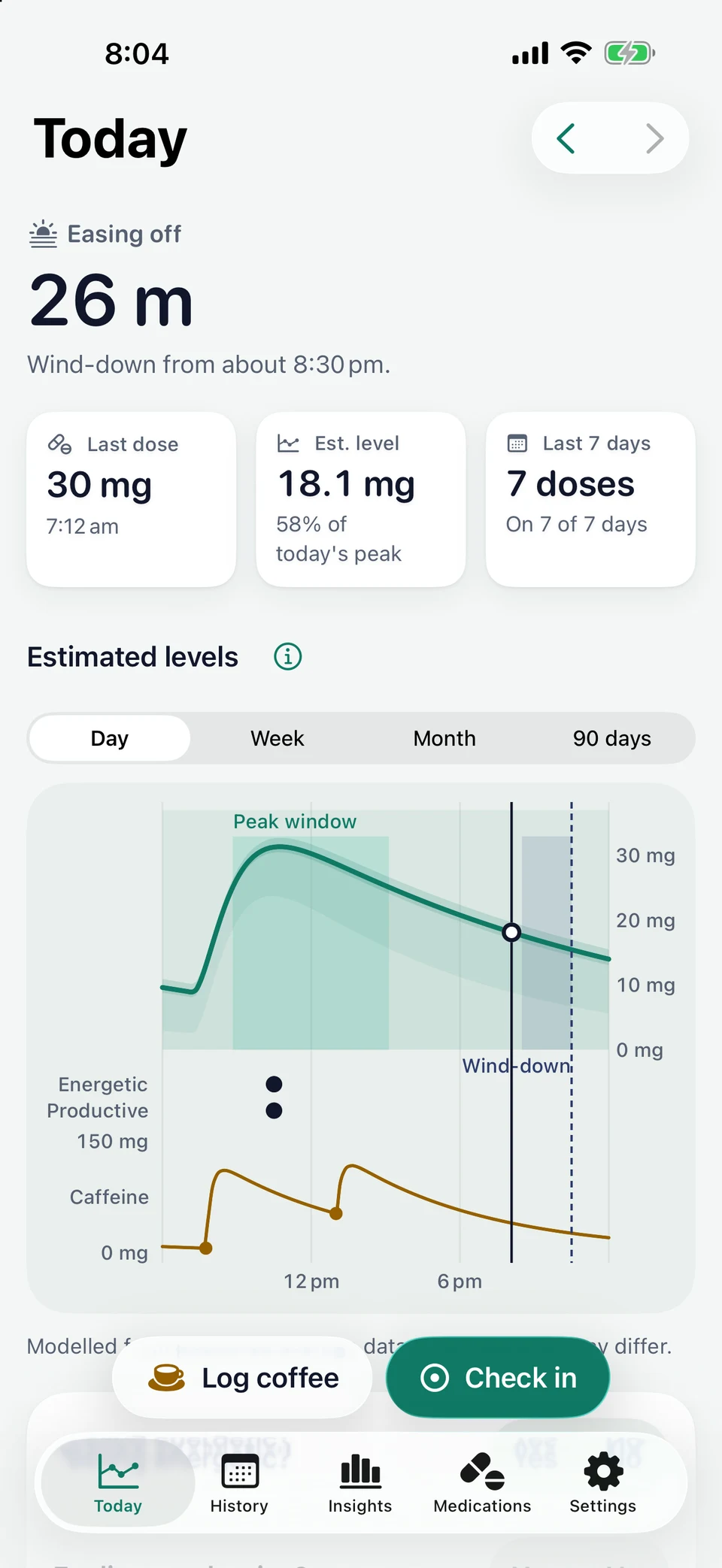
Where you are in your day
Coming on, peak window, easing off or wind-down, with a countdown and the day's modelled curve.
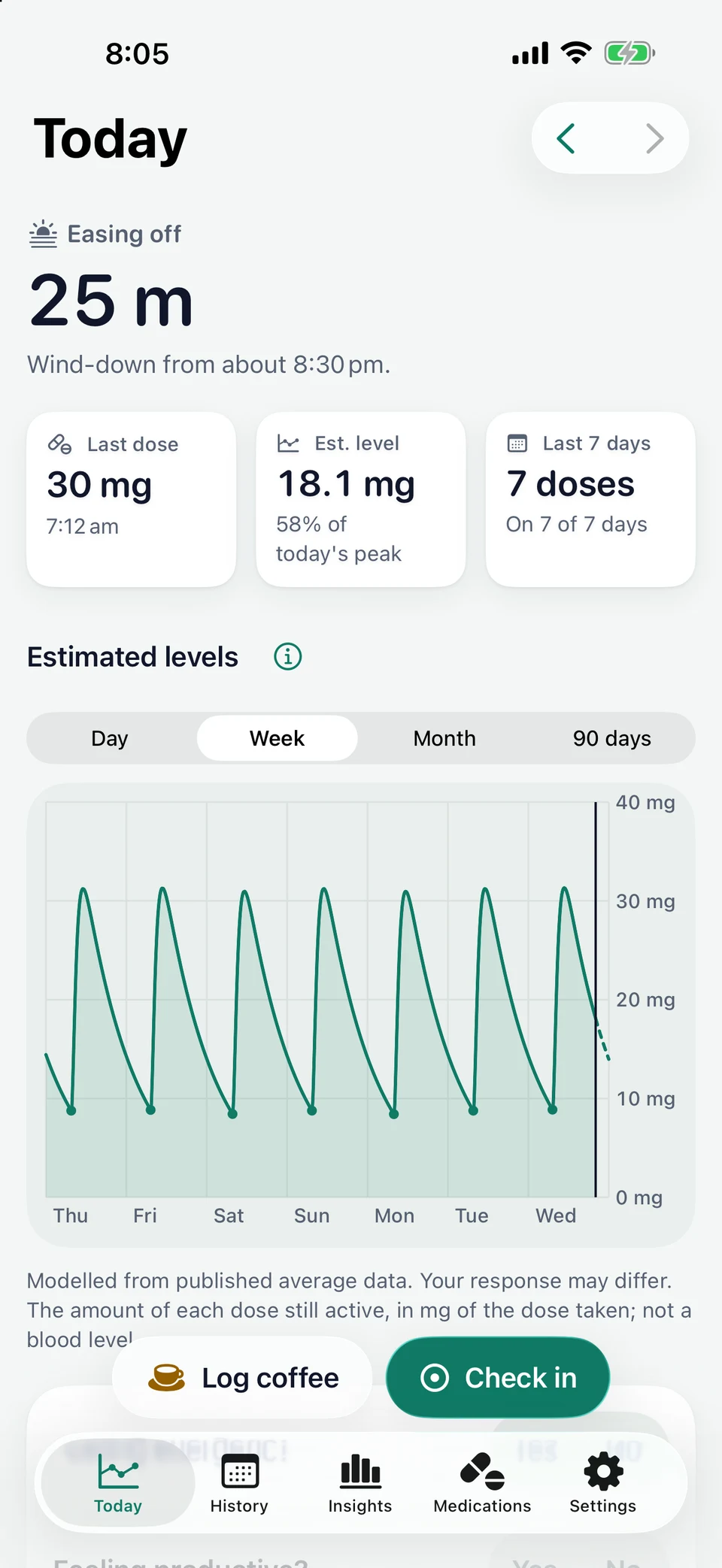
Estimated levels over time
A day, a week, a month or 90 days. Touch the chart to read any moment.
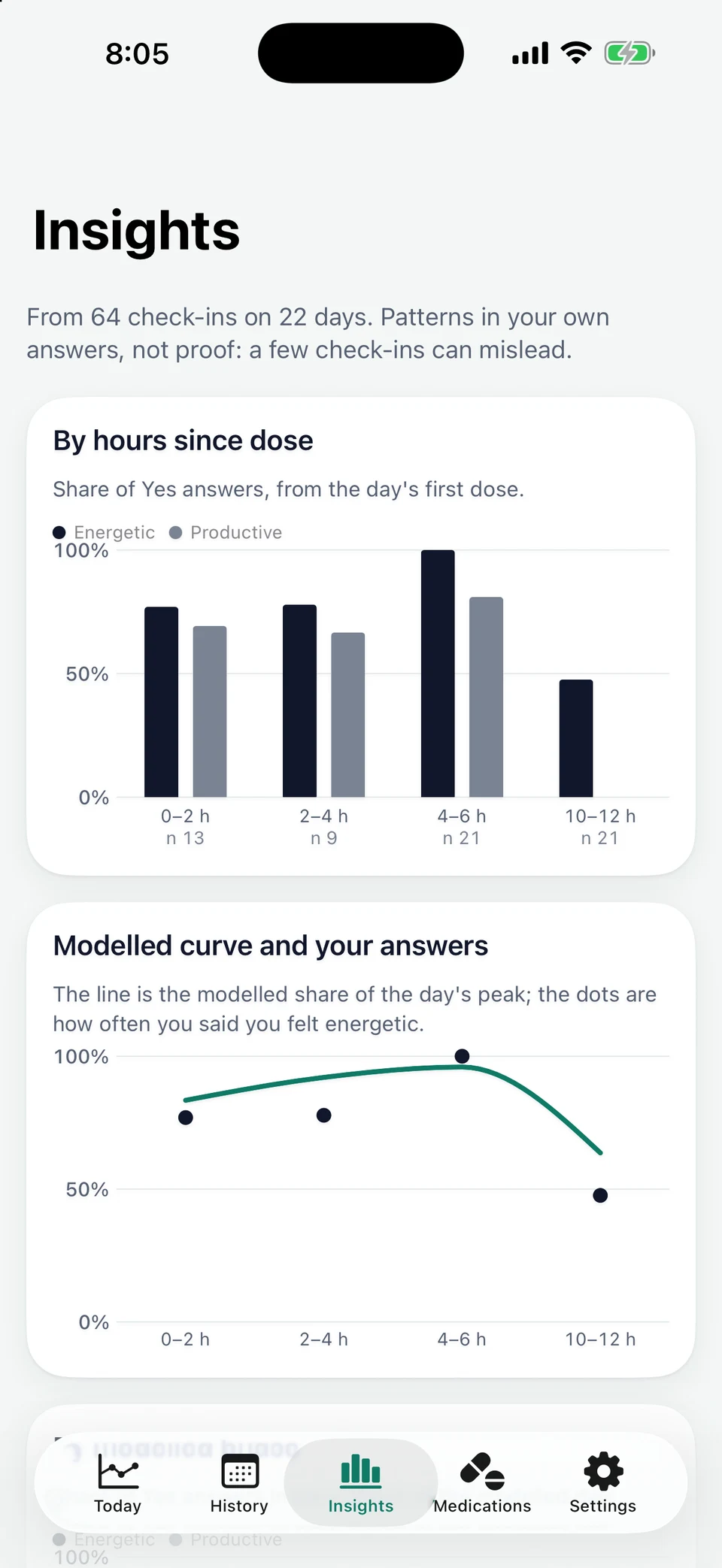
When you actually feel productive
After about two weeks of check-ins, see when you said yes: by hours since your dose, by phase and by caffeine.
Screens show sample data. Modelled from published average data. Your response may differ.
How it works
Set it up once, then get on with your day.
- 1
Keep your medicines in Apple Health
Glideslope reads the doses you mark as taken there, and never changes them.
- 2
See your modelled day
Each dose and coffee becomes a curve, with the peak window and wind-down marked.
- 3
Check in when it suits you
Two quick questions, answered from Today, a notification or Siri.
Peak window starting
Runs to about 3:10 pm.
Time to start winding down
Two hours to your 10:30 pm bedtime.
Quick check-in
Feeling energetic? Feeling productive?
Notifications about your curve start once a dose is marked as taken in Apple Health, so a day without one stays quiet. They never name a medicine, unless you choose otherwise.
The model
Clear about what it is, and what it isn't.
Glideslope shows a model of published averages, not a measurement. It isn’t a blood level, and it isn’t how you will feel.
Every value has a source
Half-lives and times to peak come from Australian product information. The app shows each value and where it came from.
Never tells you what to take
It never suggests a dose, a dose time or a dose change. Speak with your prescriber before changing how you take a medicine.
Set against your own days
Your check-ins sit beside the curve, so you can see where the model fits you and where it doesn't.
Private by design
Your health data stays with you.
On your device
No server and no iCloud sync. Your doses, drinks and check-ins live on your iPhone.
No account, no tracking
No sign-up, analytics, ads or third-party code. We can't see your data.
You choose what it reads
iOS asks type by type. Export or erase everything from Settings whenever you like.
Coming soon.
For iPhone, on iOS 26 or later.
On the App Store · Coming soon